Led a redesign concept for Cognite's data management experience, grounding the work in real user behaviour rather than existing tooling or architecture.
The Challenge
As Cognite Data Fusion scaled across customers, sites, and teams, configuration and change management became increasingly difficult to reason about.
While powerful tooling existed - particularly CLI- and Git-based workflows - users struggled to maintain a clear mental model of:
- What was currently configured
- How resources were interdependent
- What would change if they acted
- Where risk or unintended impact might occur
The challenge was not adding new capability, but redesigning the data management UI so complex systems could be understood, validated, and evolved with confidence.
My Role
I led a redesign concept for Cognite's data management experience, grounding the work in real user behaviour rather than existing tooling or architecture.
I combined:
- Ethnographic research to understand how users reason about configuration, risk, and responsibility
- Usability testing to validate mental models early
- AI-assisted prototyping to explore the problem space at high fidelity and speed
This allowed me to move quickly from insight to working concepts that stakeholders could meaningfully critique.
Design Approach
Ethnography first
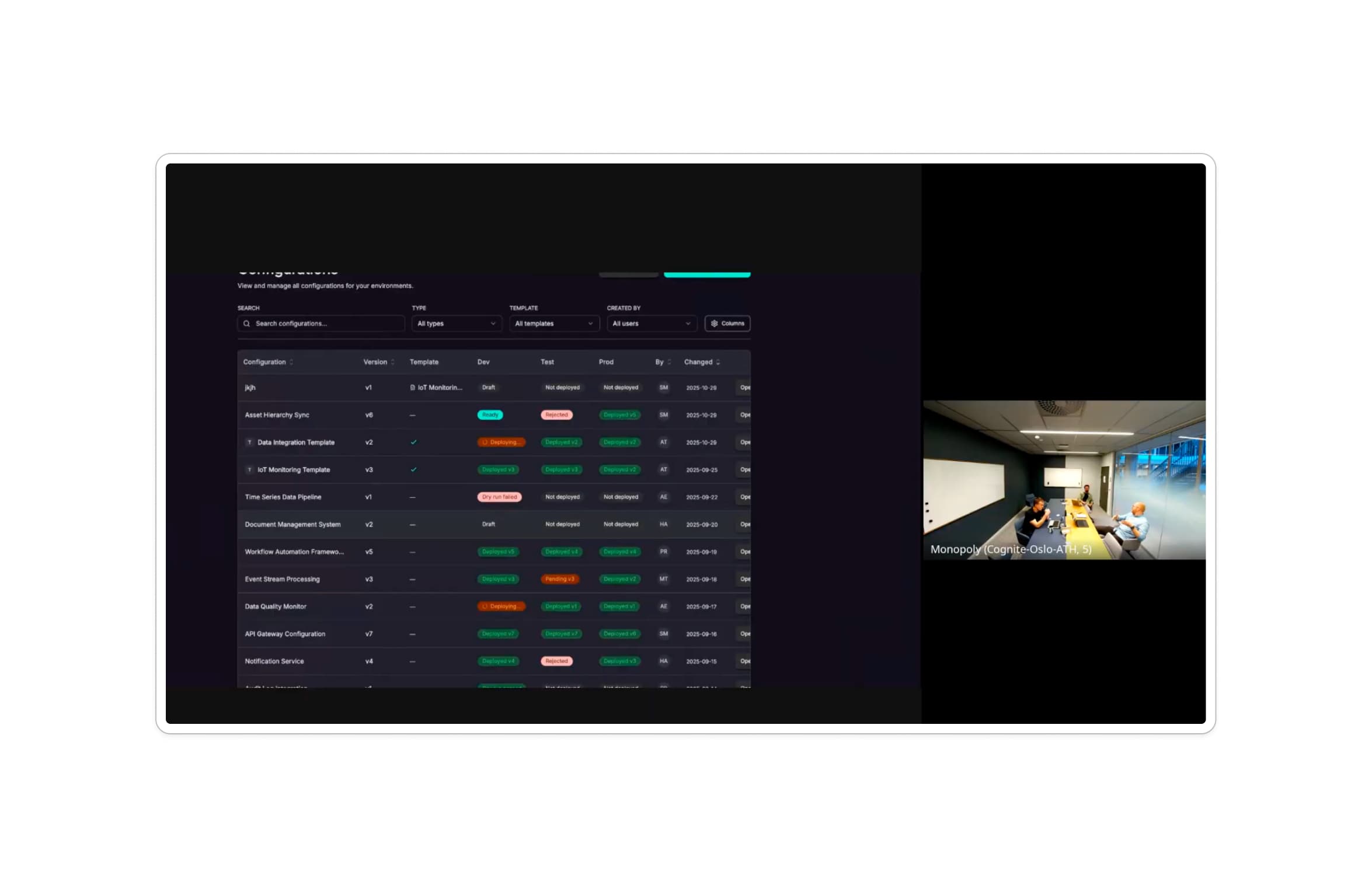
Rather than starting from system structure, I focused on how people talked aboutconfiguration work - where they lost overview, what they double-checked, and what made them hesitant to deploy changes.
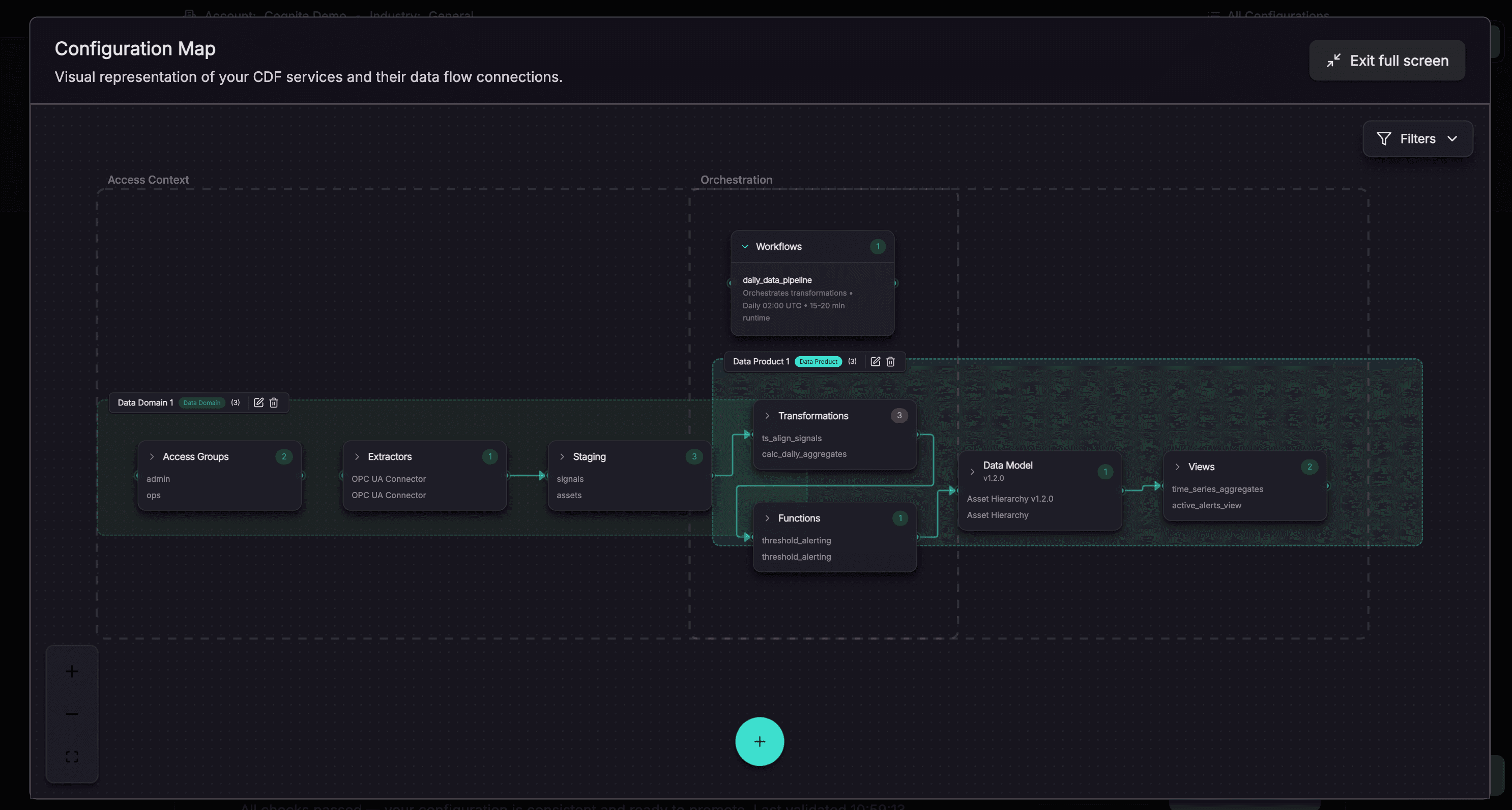
Across interviews and testing, a consistent need emerged: a visual way to understand interdependencies, environments, and impact - before acting.
These insights shaped the redesign toward:
- Impact-first views
- Clear previews and validation before deployment
- Visual maps that make system state explicit rather than implied
AI-native prototyping
I used AI tools to prototype interaction ideas rapidly at near-production fidelity. This wasn't about visual polish, but about accelerating learning and sense-making in a highly complex domain.
AI allowed me to:
- Reflect user intent back to stakeholders quickly
- Test multiple design directions between research sessions
- Spend more time on systems thinking and less on manual build effort
This resulted in a redesign that felt "real" early - enabling deeper, more honest feedback.
Personas at speed (AI-assisted)
In previous projects, we had waited months for polished agency personas that arrived too late, didn't reflect real users, and weren't trusted by the team.
For Aegis, I took a different approach.
I used AI to rapidly synthesise lightweight personas from Cognite's existing user research repository (Dovetail), internal reports, and historical research documented in Confluence - alongside fresh interviews and usability sessions conducted during the project.
The goal was not perfection, but momentum.
These proto-personas were used as working models to:
- Unblock early design decisions
- Stress-test interaction ideas across roles
- Align product, design, and engineering quickly around shared assumptions
They were:
- Drafted in minutes, not months
- Grounded in real, accumulated research
- Explicitly treated as "good enough" and refined through ongoing validation
This approach allowed AI to compress synthesis time while keeping human judgment - and real user evidence - firmly in charge.

The Outcome
User research and usability sessions validated both the mental model and the speed at which it was formed.
"One thing awesome is I feel that you understood what I described - so maybe there is some LLM involved here. Nice."
- Usability testing participant, TotalEnergies
The redesign also addressed long-standing fragmentation across tools and environments:
"It's connecting some of the dots that are a bit scattered in Fusion today - here you get more of one pane of glass to see something."
- Usability testing participant, AkerBP
Walkthrough & Showreel
See the redesigned experience in action.
What I'm Proud Of
I'm proud that this work used AI as a force multiplier for design thinking - not as a shortcut - and that ethnographic insight remained the foundation throughout.
The redesign didn't simplify the problem space. Instead, it made reality visible, helping users act with confidence inside complex systems.
Good enterprise UX isn't about removing complexity - it's about making it understandable at the moment it matters.